Qalin: Test Control Interface, built with modern Symfony 25/02/2026
BisouLand is an eXtreme Legacy (2005 LAMP) app, an idle browser game where players take each other's Love Points by blowing kisses across clouds.
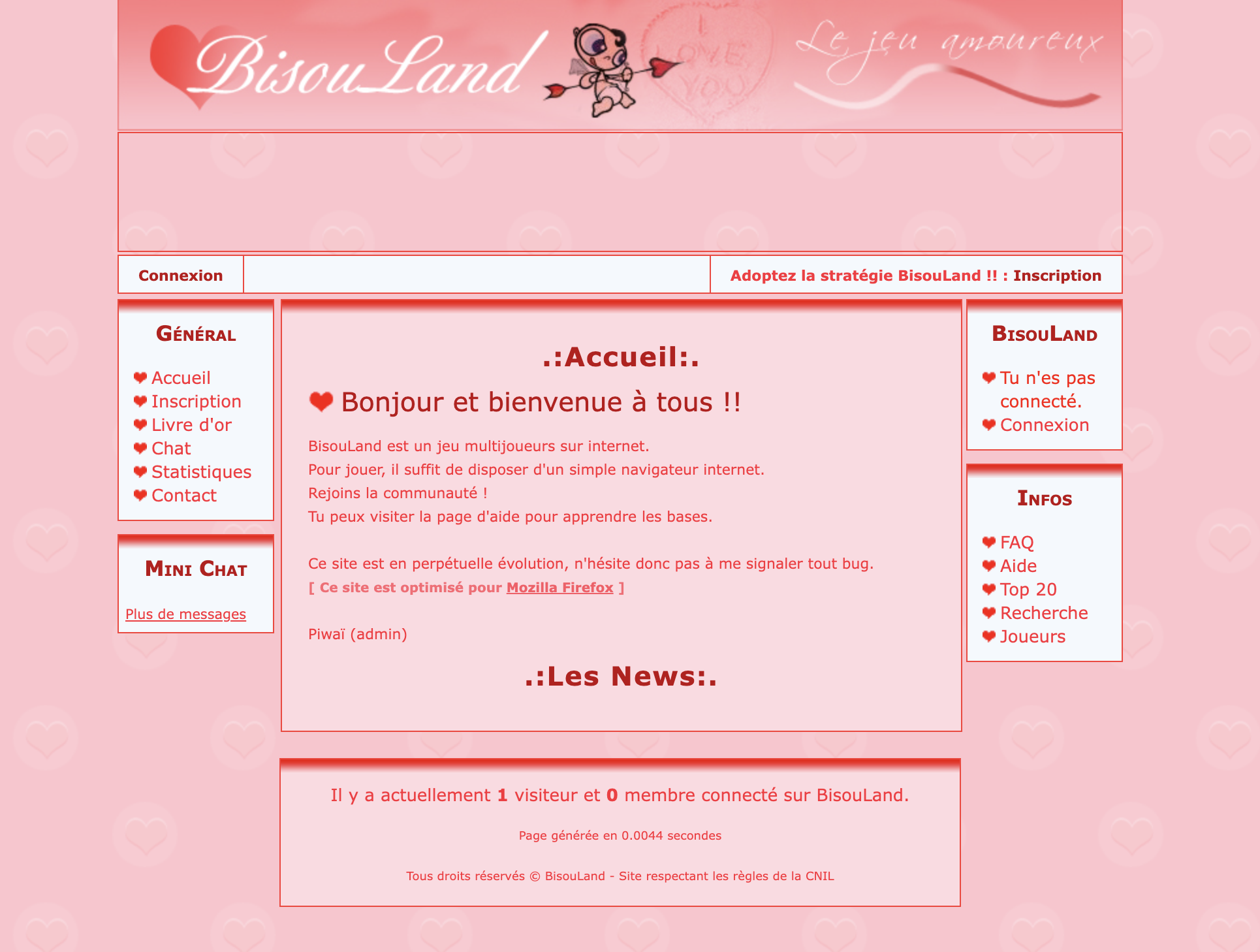
The app was built by a student while learning xHTML, CSS, PHP and MySQL from online tutorials. Maintaining this big ball of mud / spaghetti code can be a real challenge!
In today's article, we'll explore how to improve Developer eXperience in such a hostile environment, by creating a modern Symfony application next to it.
This is the idea behind a Test Control Interface: a dedicated tool that lets anyone on the team (developers, QA, designers, product, etc) reach any application state on demand, without touching production code, without direct database access, and without waiting for time gates.
The Problem
Want to verify that blowing a Smooch works? To do that you need to have built one first.
To build a Smooch, you need your Mouth at level 6. Here is what each upgrade costs and how long it takes for them to complete:
| Mouth level | Cost to next level | Completion time |
|---|---|---|
| 1 | 299 | 1 s |
| 5 | 1,478 | 22 min 28 s |
But to pay for those upgrades you need Love Points (LP). Your Heart generates them over time. The higher its level, the more it produces per hour:
| Heart level | LP generated / hr | Cost to next level | Completion time |
|---|---|---|---|
| 1 | 14 | 150 | 1 s |
| 5 | 1,657 | 739 | 1 hr 11 min |
| 10 | 3,019 | 5,460 | 8 hr 50 min |
Starting fresh with 300 LP, here is the full breakdown:
| Upgrade | Cost | Waiting for LP | Waiting for completion |
|---|---|---|---|
| Heart 1→2 | 150 | 0s | 1s |
| Heart 2→3 | 223 | 16m 0s | 11s |
| Heart 3→4 | 333 | 26m 45s | 5m 0s |
| Heart 4→5 | 496 | 21m 12s | 26m 24s |
| Heart 5→6 | 739 | 7m 12s | 1h 11m |
| Heart 6→7 | 1,103 | 0s | 2h 19m |
| Heart 7→8 | 1,645 | 0s | 3h 44m |
| Heart 8→9 | 2,454 | 0s | 5h 21m |
| Heart 9→10 | 3,660 | 0s | 7h 4m |
| Mouth 1→2 | 299 | 0s | 1s |
| Mouth 2→3 | 446 | 0s | 1s |
| Mouth 3→4 | 665 | 0s | 49s |
| Mouth 4→5 | 991 | 0s | 6m 27s |
| Mouth 5→6 | 1,478 | 0s | 22m 28s |
| Total | 15,182 | 1h 11m | 20h 43m |
Nearly a day of watching completion timers tick. And once you finally can build that Smooch, you still cannot blow it: players need 50 Score Points first, which means more grinding (1,000 Love Points spent = 1 Score Point earned).
The classic developer hacks are familiar:
- Hardcode a shorter constant locally: reduce 3 days to 20 seconds, trigger the behaviour, move on. That works once, on your machine, but not on staging, cannot be shared with QA or designers, and breaks the moment someone else needs a different value
- Fire a one-off UPDATE through a SQL client: faster to set up, but requires database access, knowledge of the schema, and leaves the data in a state that may be inconsistent if you miss a related table
You need a controlled, shareable way to reach any predetermined state instantly.
Inspiration: Bumble's QAAPI
In 2021, Sergey Ryabko described API for QA: Testing features when you have no access to code, the Test Control Interface built at Bumble Inc, the dating app. The tool is called QAAPI.
The core idea: rather than touching the database directly or bending production code to fit a test scenario, you expose a dedicated set of controlled operations via HTTP. A web UI built on top gives everyone on the team (developers, QA, designers, product) a friendly way to check, demo, or test the app.
Consider a promotional banner: three days after registration, show the user a discounted premium upsell. To test it, you would normally register an account and wait three days. To avoid that, a QAAPI method offsets the registration date for a specific test user:
/SetPromoTimeOffset?seconds=20&userid=12345
And 20 seconds after registration, user 12345 sees the banner.
Its implementation is a self-contained class with three elements:
a description, typed parameters, and a run() method with the logic:
class SetPromoTimeOffset extends \QAAPI\Methods\AbstractMethod
{
    public function getDescription(): string
    {
        return <<<Description
Sets a time offset in seconds between the user's registration date and the promo showing
Description;
    }

    public function getParamsConfig(): array
    {
        return [
            'user_id' => \QAAPI\Params\UserId::create(),
            'seconds'  => \QAAPI\Params\PositiveInteger::create()
                ->setDescription('Offset in seconds'),
        ];
    }

    public function run(): \QAAPI\Models\Output
    {
        // logic here
        return \QAAPI\Models\Output::success();
    }
}
Documentation is generated automatically from those definitions.
Security is layered to make broad access safe: network-level (VPN only), authentication (Google OAuth for engineers, secret token for automated tests), and data-level (methods only operate on flagged test users, never real ones).
Beyond raw methods, QAAPI also has Scenarios: combinations of methods written ad-hoc in Lua that reproduce a complete feature flow in one call, acting as living documentation of complex flows.
At Bumble, QAAPI has grown to over 1,500 methods and has been in use since 2013.
In an earlier article (2019), Vladimir Yants described
A monolithic architecture for our clients' hundreds of versions: how we write and support tests,
showing QAAPI used programmatically inside automated API tests: three calls to set up a
test user's profession, A/B test group, and registration date, then assert on the server
response. The article also details their test user pool (pre-registered users with an
is_test_user flag, restored to a clean state after each test) and how that flag lets them
run the same API tests against a pre-production cluster with real data, while keeping test
users isolated from real ones.
✏️ Edit: Artem Soldatkin rightly points out that the first version of QAAPI was authored by Ilya Ageev and created at Badoo in 2013, before Bumble existed and before Badoo was incorporated into Bumble Inc.
A Test Control Interface is a deceptively simple idea whose implementation cost is low, yet it makes everyone on the team faster and transforms how they work.
Simple enough that I built a working prototype for BisouLand in two weeks.
How to Build It: Qalin
Qalin (pronounced câlin) stands for Quality Assurance Local Interface Nudger.
It is BisouLand's Test Control Interface, built on top of Symfony 8 with PHP 8.5.
It follows the same concept as QAAPI, with a few differences suited to the Symfony ecosystem: input is a separate readonly DTO rather than a method on the class, dependencies are injected via the constructor rather than inherited from a base class, and the handler is wired through Symfony's service container.
Qalin runs alongside the app in local, dev, test, and staging environments. It is never deployed to production.
Actions and Scenarios
Actions are atomic operations. Each one has three parts: an input DTO, a handler, and an output DTO.
The input DTO is a readonly class with typed public properties.
Constructor promotion keeps it concise:
final readonly class UpgradeInstantlyForFree
{
    public function __construct(
        public string $username,
        public string $upgradable,
        public int $levels = 1,
    ) {
    }
}
The handler receives the input DTO, validates it, calls domain services, and returns an output DTO:
final readonly class UpgradeInstantlyForFreeHandler
{
    public function __construct(
        private ApplyCompletedUpgrade $applyCompletedUpgrade,
        private FindPlayer $findPlayer,
    ) {
    }

    public function run(UpgradeInstantlyForFree $input): UpgradeInstantlyForFreed
    {
        $username   = Username::fromString($input->username);
        $upgradable = Upgradable::fromString($input->upgradable);
        if ($input->levels < 1) {
            throw ValidationFailedException::make(
                "Invalid \"UpgradeInstantlyForFree\" parameter: it should have levels >= 1 (`{$input->levels}` given)",
            );
        }

        $player = $this->findPlayer->find($username);

        for ($i = 0; $i < $input->levels; ++$i) {
            $upgradable->checkPrerequisites($player->upgradableLevels);
            $milliScore = $upgradable->computeCost($player->upgradableLevels);
            $player = $this->applyCompletedUpgrade->apply($username, $upgradable, $milliScore);
        }

        return new UpgradeInstantlyForFreed($player);
    }
}
Notice what is absent: no cost deduction, no completion timer. The action reaches directly into the domain service that applies a completed upgrade and calls it in a loop. That is the point.
Scenarios are handlers that compose other handlers.
Instead of inheriting from a base class,
they receive action handlers as constructor dependencies
and call their run() methods in sequence:
final readonly class SignInNewPlayerHandler
{
    public function __construct(
        private SignUpNewPlayerHandler $signUpNewPlayerHandler,
        private SignInPlayerHandler $signInPlayerHandler,
    ) {
    }

    public function run(SignInNewPlayer $input): SignedInNewPlayer
    {
        $signedUp = $this->signUpNewPlayerHandler->run(
            new SignUpNewPlayer($input->username, $input->password),
        );

        $signedIn = $this->signInPlayerHandler->run(
            new SignInPlayer($signedUp->player->account->username->toString()),
        );

        return new SignedInNewPlayer($signedUp, $signedIn);
    }
}
SignInNewPlayer signs up a brand-new player and immediately signs them in,
returning their session cookie in one call. No curl, no browser, no waiting.
🤔 Retrospective:
SignInNewPlayerwas the smallest scenario I could build to close the two-week spike. It composes two actions and covers a real need, but it does not yet showcase the full value of scenarios. A more representative example would beUnlockLeap: to test cloud-leaping, a player needs Leap at level 1, which requires Legs at level 2, which requires Heart at level 15. The scenario would callupgrade-instantly-for-freeon each upgradable in order, dropping the player straight into a state where the leap feature can be exercised. That kind of scenario is what a Test Control Interface is really for.
CLI Interface
For developers who live in the terminal, the same actions and scenarios are available as
Symfony console commands. Modern Symfony Console attributes eliminate all of the
traditional configure() / execute() scaffolding:
#[AsCommand(
    name: 'action:upgrade-instantly-for-free',
    description: 'Instantly upgrade for free',
)]
final readonly class UpgradeInstantlyForFreeCommand
{
    public function __construct(
        private UpgradeInstantlyForFreeHandler $upgradeInstantlyForFreeHandler,
    ) {
    }

    public function __invoke(
        #[Argument(description: 'an existing one')]
        string $username,
        #[Argument(description: 'an Organ (e.g. heart), Bisou (e.g. smooch) or Technique (e.g. hold_breath)')]
        string $upgradable,
        SymfonyStyle $io,
        #[Option(description: 'how many levels to upgrade at once')]
        int $levels = 1,
    ): int {
        try {
            $upgradeInstantlyForFreed = $this->upgradeInstantlyForFreeHandler->run(
                new UpgradeInstantlyForFree($username, $upgradable, $levels),
            );
        } catch (ValidationFailedException $e) {
            $io->error($e->getMessage());
            return Command::INVALID;
        } catch (ServerErrorException $e) {
            $io->error($e->getMessage());
            return Command::FAILURE;
        }

        $io->success('Successfully completed Upgrade Instantly For Free');

        $rows = [];
        foreach ($upgradeInstantlyForFreed->toArray() as $field => $value) {
            $rows[] = [$field, $value];
        }

        $table = new Table($io);
        $table->setStyle('markdown');
        $table->setHeaders(['Field', 'Value']);
        $table->setRows($rows);
        $table->render();

        return Command::SUCCESS;
    }
}
🎶 Modern Symfony:
#[AsCommand](introduced in Symfony 5.3) registers the command.#[Argument]and#[Option](introduced in Symfony 7.3) declare the parameters directly on__invoke(), replacing theconfigure()/execute()boilerplate entirely. Symfony injectsSymfonyStyleautomatically.
The command is callable from a Makefile target:
make qalin arg='scenario:sign-in-new-player Petrus iLoveBlade'
make qalin arg='action:upgrade-instantly-for-free Petrus heart --levels=5'
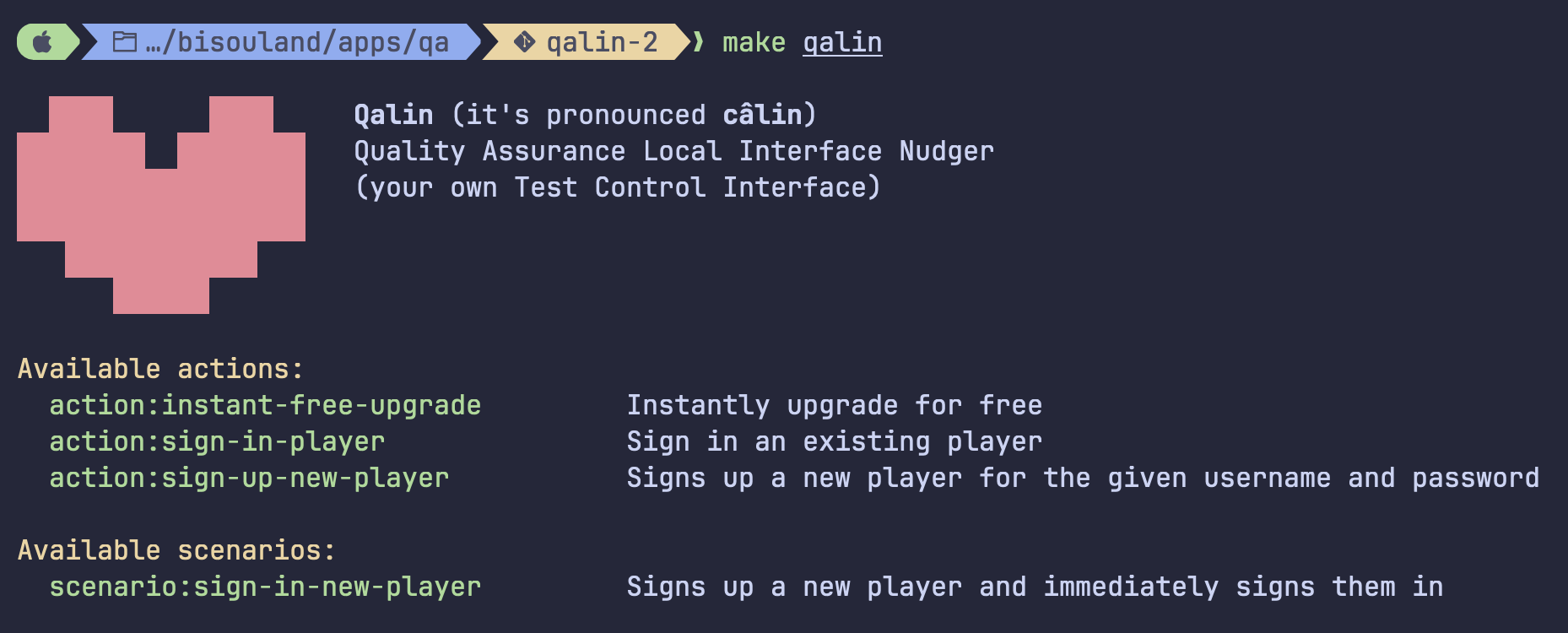
🤔 Retrospective: the CLI currently calls action and scenario handlers directly, in-process. A better implementation would have it call the HTTP API instead, using an HTTP client. That would let the CLI target any environment, local or staging, by just changing the base URL. The direct handler approach was a POC shortcut.
API Interface
The API is the foundation on which other interfaces are built. The Web UI calls it, nothing stops you from building a Rust TUI or a mobile debug screen on top of it, and it is what makes Qalin usable on remote environments like staging servers.
Each action and scenario is a dedicated controller, registered with #[Route] and
accepting a deserialized input DTO via #[MapRequestPayload]:
final readonly class UpgradeInstantlyForFreeController
{
    public function __construct(
        private UpgradeInstantlyForFreeHandler $upgradeInstantlyForFreeHandler,
    ) {
    }

    #[Route('/api/v1/actions/upgrade-instantly-for-free', methods: ['POST'])]
    public function __invoke(
        #[MapRequestPayload]
        UpgradeInstantlyForFree $upgradeInstantlyForFree,
    ): JsonResponse {
        $upgradeInstantlyForFreed = $this->upgradeInstantlyForFreeHandler->run($upgradeInstantlyForFree);

        return new JsonResponse(
            json_encode($upgradeInstantlyForFreed->toArray(), \JSON_THROW_ON_ERROR),
            Response::HTTP_CREATED,
            json: true,
        );
    }
}
🎶 Modern Symfony:
#[MapRequestPayload](introduced in Symfony 6.3) deserializes the JSON body into the input DTO and runs validation automatically. The controller itself has no boilerplate: it calls the handler and returns the result.
Calling it looks like this:
curl -X POST http://localhost:43010/api/v1/scenarios/sign-in-new-player \
     -H 'Content-Type: application/json' \
     -d '{"username": "Petrus", "password": "iLoveBlade"}'

curl -X POST http://localhost:43010/api/v1/actions/upgrade-instantly-for-free \
     -H 'Content-Type: application/json' \
     -d '{"username": "Petrus", "upgradable": "heart", "levels": 5}'
Web Interface
For designers and product people who prefer a browser, each action and scenario has a web page with a form.
The controller is a straightforward GET that renders a Twig template:
#[Route('/actions/upgrade-instantly-for-free', methods: ['GET'])]
public function __invoke(): Response
{
    return new Response($this->twig->render('qalin/action/upgrade-instantly-for-free.html.twig', [
        'upgradables' => Upgradable::cases(),
    ]));
}
The template itself is a plain HTML form with a data-api attribute pointing to the
API endpoint:
{% extends 'base.html.twig' %}

{% block title %}Upgrade Instantly For Free - Qalin{% endblock %}

{% block body %}
    <h2>Action: Upgrade Instantly For Free</h2>
    <form data-api="/api/v1/actions/upgrade-instantly-for-free" data-expect="201">
        <label for="username">Username</label>
        <input class="u-full-width" type="text" id="username" name="username" required>
        <label for="upgradable">Upgradable</label>
        <select class="u-full-width" id="upgradable" name="upgradable" required>
            {% for upgradable in upgradables %}
                <option value="{{ upgradable.value }}">{{ upgradable.name }}</option>
            {% endfor %}
        </select>
        <label for="levels">Levels</label>
        <input class="u-full-width" type="number" id="levels" name="levels" value="1">
        <button class="button-primary" type="submit">Upgrade Instantly For Free</button>
    </form>
    <div class="result"></div>
{% endblock %}
A small JavaScript snippet in the base layout reads data-api, serializes the form as
JSON, POSTs it to the API, and renders the response into .result. No JavaScript
framework, no build step: just Twig and a <form>.
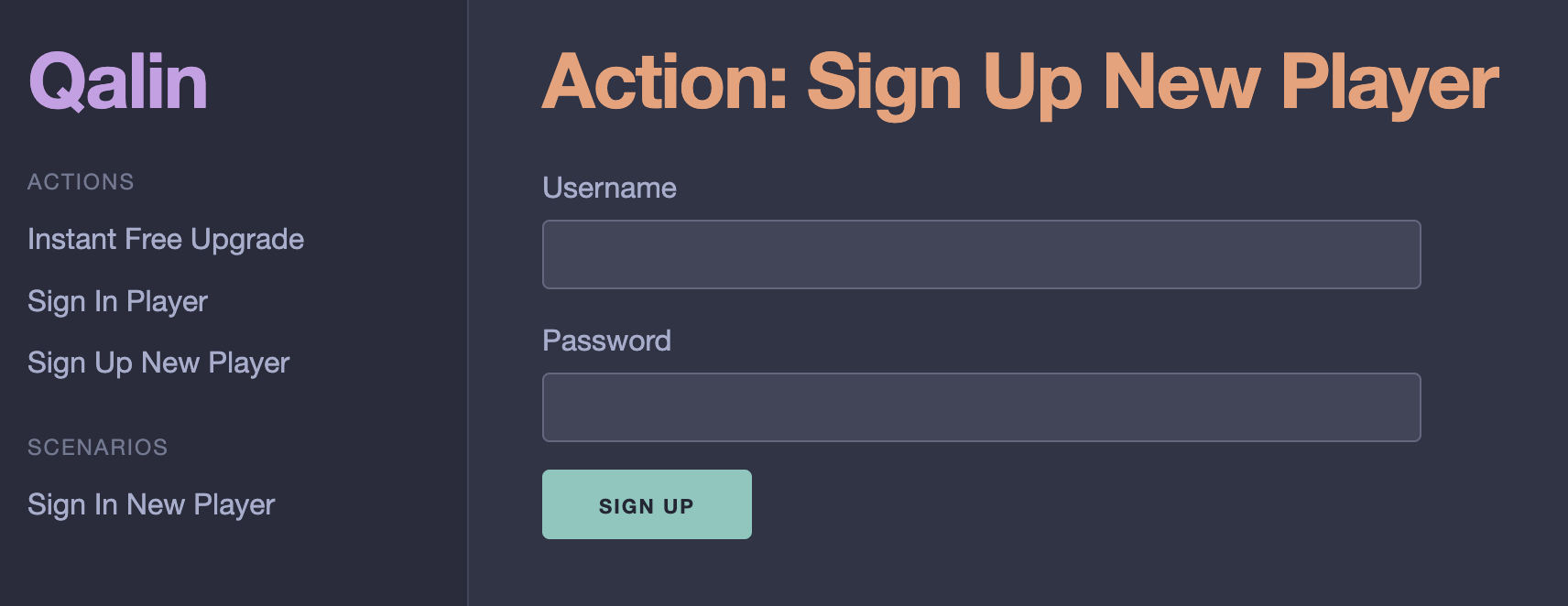
🤔 Retrospective: the web interface is the weakest part of the current implementation. A future iteration could replace the vanilla JavaScript with HTMX for a cleaner, server-driven approach.
Testsuite Interface
Qalin exposes an ActionRunner and a ScenarioRunner that call handlers in-process,
with no HTTP overhead.
Automated tests (e.g. EndToEnd) use them in the Arrange phase to set up game state without raw SQL, without curl, and without coupling tests to database schema:
#[CoversNothing]
#[Large]
final class LogOutTest extends TestCase
{
    public function test_it_allows_players_to_log_out(): void
    {
        // Arrange
        $httpClient = TestKernelSingleton::get()->httpClient();
        $scenarioRunner = TestKernelSingleton::get()->scenarioRunner();

        /** @var SignedInNewPlayer $signedInNewPlayer */
        $signedInNewPlayer = $scenarioRunner->run(new SignInNewPlayer(
            UsernameFixture::makeString(),
            PasswordPlainFixture::makeString(),
        ));

        $sessionCookie = $signedInNewPlayer->toArray()['cookie'];

        // Act
        $httpClient->request('GET', '/logout.html', [
            'headers' => ['Cookie' => $sessionCookie],
        ]);

        // Assert
        $response = $httpClient->request('GET', '/cerveau.html', [
            'headers' => ['Cookie' => $sessionCookie],
        ]);

        $this->assertStringContainsString("Tu n'es pas connecté.", $response->getContent());
        $this->assertSame(200, $response->getStatusCode());
    }
}
The Arrange is one call. It reads as plain English. The test is about logout, not about the sign-up and sign-in machinery needed to reach that state.
That machinery is encapsulated in the SignInNewPlayer scenario,
reused across every test that needs a logged-in player.
This is where the Test Control Interface pays off most: not only for manual testers, but also for the automated test suite that runs on every commit. Bumble arrived at the same pattern: their API tests call QAAPI methods in the arrange phase to configure test users before exercising the real protocol.
✏️ Edit: obstreperous_troll on Reddit observes that this resembles white-box testing, since Qalin reaches into internal state to set things up. That is a fair comparison: Qalin is white-box for the Arrange part of a test (it bypasses the public API to put the system in a specific state), but black-box for the Act and Assert parts (the test exercises real HTTP endpoints and checks real responses, just like any external consumer would).
✏️ Edit: Benjamin Rothan asks whether this is fixture generation for QA. Symfony developers may recognise a resemblance to Doctrine Fixtures or FakerBundle, but the intent is different: fixtures generate seed data at deployment time (a fixed dataset loaded once), whereas Qalin actions are called on demand, at any time, to reach a specific state for a specific test or demo. Think of it as a remote control for your application state, not a data seeder.
Scaffolding with MakerBundle
Adding a new action to Qalin means creating a handler, an input DTO, an output DTO, a CLI command, an API controller, a Web controller, a Twig template, and tests for all of them. That is 12 files.
Writing them by hand once is instructive. Doing it for every new action is not.
Qalin ships a custom MakerBundle command, make:qalin:action, that generates all 12
files from a single invocation:
make qalin-action arg='UpgradeInstantlyForFree \
  --description="Instantly upgrade an upgradable for free" \
  --output-name=UpgradeInstantlyForFreed \
  --parameter="username:string:an existing username" \
  --parameter="upgradable:string:an organ (e.g. heart), a bisou (e.g. smooch) or a technique (e.g. hold_breath)" \
  --parameter="levels:int:number of levels to upgrade:1"'
The --parameter flag follows a name:type:description[:default] format.
Providing a default makes the parameter optional, omitting it makes it required.
The generator sorts required parameters before optional ones automatically, respecting PHP's constraint on default values.
The generated files are fully wired:
* the CLI command uses #[AsCommand], #[Argument] and #[Option]
* the API controller uses #[Route] and #[MapRequestPayload]
* the input DTO is the same class used by all three interfaces and the testsuite
* Spec tests for the DTO and handler are generated with Prophecy stubs pre-populated
* Integration tests for each interface are generated with the correct
#[CoversNothing] / #[Medium] attributes and data providers stubbed out.
After generation, the workflow is:
- Implement domain logic in
UpgradeInstantlyForFreeHandler.php - Fill in any
TODOcomments - Run
make phpstan-analyzeandmake phpunit
The command also has an interactive mode for when you want to be guided through
each field, and a make:qalin:scenario counterpart that adds a --action option for
composing existing action handlers:
make qalin-scenario arg='SignInNewPlayer \
  --description="Sign up and immediately sign in a brand-new player" \
  --output-name=SignedInNewPlayer \
  --parameter="username:string:4-15 alphanumeric characters" \
  --parameter="password:string:8-72 characters" \
  --action=SignUpNewPlayer \
  --action=SignInPlayer'
The generated scenario handler comes pre-wired with SignUpNewPlayerHandler and
SignInPlayerHandler as constructor dependencies, their namespaces already imported.
Building a MakerBundle command means extending AbstractMaker and implementing three
methods: configureCommand() for option declarations, interact() for the interactive
prompts, and generate() for file generation via the Generator service. The
generate() method is a flat list of generateClass() calls, one per file:
public function generate(InputInterface $input, ConsoleStyle $io, Generator $generator): void
{
    // ... resolve variables from input ...

    // 1. Action input DTO
    $generator->generateClass(
        "Bl\\Qa\\Application\\Action\\{$actionName}\\{$actionName}",
        "{$templateDir}/Qalin/Action/HandlerInput.tpl.php",
        $variables,
    );

    // 2. Action handler
    $generator->generateClass(
        "Bl\\Qa\\Application\\Action\\{$actionName}\\{$actionName}Handler",
        "{$templateDir}/Qalin/Action/Handler.tpl.php",
        $variables,
    );

    // ... 10 more files: output DTO, CLI command, Web controller, API controller,
    //     Twig template, spec tests, integration tests ...

    $generator->writeChanges();
}
Templates are plain PHP files that echo the target source. The API controller template, for instance, reproduces exactly the class pattern shown earlier in this article:
<?php echo "<?php\n"; ?>

declare(strict_types=1);

namespace <?php echo $namespace; ?>;

use Bl\Qa\Application\Action\<?php echo $action_name; ?>\<?php echo $action_name; ?>;
use Bl\Qa\Application\Action\<?php echo $action_name; ?>\<?php echo $action_name; ?>Handler;
use Symfony\Component\HttpFoundation\JsonResponse;
use Symfony\Component\HttpFoundation\Response;
use Symfony\Component\HttpKernel\Attribute\MapRequestPayload;
use Symfony\Component\Routing\Attribute\Route;

final readonly class <?php echo $class_name; ?>

{
    public function __construct(
        private <?php echo $action_name; ?>Handler $<?php echo $action_camel; ?>Handler,
    ) {
    }

    #[Route('/api/v1/actions/<?php echo $action_kebab; ?>', methods: ['POST'])]
    public function __invoke(
        #[MapRequestPayload]
        <?php echo $action_name; ?> $<?php echo $action_camel; ?>,
    ): JsonResponse {
        $<?php echo lcfirst($action_output_name); ?> = $this-><?php echo $action_camel; ?>Handler->run($<?php echo $action_camel; ?>);

        return new JsonResponse(
            json_encode($<?php echo lcfirst($action_output_name); ?>->toArray(), \JSON_THROW_ON_ERROR),
            Response::HTTP_CREATED,
            json: true,
        );
    }
}
The result is a generator that knows your project's conventions as well as you do.
🎶 Modern Symfony: MakerBundle is best known for generating controllers, entities, and form types, but its real power is that it is extensible. Any repetitive file structure in your project, a command handler pair, an event with its listener, a domain object with its repository and tests, is a candidate for a custom maker. The API is straightforward, the templates are plain PHP, and the payoff compounds every time a new developer joins the project and generates their first file in seconds rather than copy-pasting for an hour.
Conclusion
BisouLand is a 2005 LAMP application with no test harness, no clean architecture.
Rather than fighting that, I built a separate Symfony 8 application alongside it: a Test Control Interface that anyone on the team can use to reach any game state in seconds.
This is not new. Bumble has been running QAAPI since 2013 across a much larger codebase, used by every role from developer to QA to designer. The idea translates cleanly to any stack.
What Symfony 8 brings is that the boilerplate cost is near zero:
#[AsCommand],#[Argument],#[Option]replaceconfigure()andexecute()#[Route]and#[MapRequestPayload]replace manual deserialization and validation- Constructor injection and
readonlyclasses keep handlers and DTOs concise - MakerBundle lets you extend the generator to match your own architecture
Adding a new action to Qalin takes minutes, not hours. The generated code is consistent, tested, and immediately usable from the terminal, the web UI, or a PHPUnit test.
Want to learn more?
- browse BisouLand / Qalin source code on Github
- read more about modernising this eXtreme Legacy app
- GeePaw Hill's "Making App": a related concept where developers interact with a dedicated UI instead of the real app, pointed out by Jakub Zalas. The Making App is a developer-only UI that replaces the actual app entirely, whereas a Test Control Interface like Qalin sits alongside it
Retrospective
Qalin went from zero to usable in two weeks. One thing worth exploring in a future iteration is self-documenting input DTOs.
In QAAPI, a method is self-describing: getDescription() documents the method itself,
and each parameter is declared via a builder that carries its own description:
'seconds' => \QAAPI\Params\PositiveInteger::create()
    ->setDescription('Offset in seconds'),
In Qalin, the input DTO is a plain readonly class. The parameter descriptions live
only in the MakerBundle invocation, then get scattered across #[Argument] and
#[Option] attributes in the CLI command. They are not available to the web template,
where a tooltip next to each field would meaningfully improve usability.
A natural starting point would be a getDescription() method on the input DTO, and
custom PHP attributes to carry per-parameter metadata:
#[ActionDescription('Instantly upgrade an upgradable for free')]
final readonly class UpgradeInstantlyForFree
{
    public function __construct(
        #[ParameterDescription('an existing username')]
        public string $username,
        #[ParameterDescription('heart, mouth, legs, etc')]
        public string $upgradable,
        #[ParameterDescription('how many levels to upgrade at once')]
        public int $levels = 1,
    ) {
    }
}
That metadata could then be read via reflection and surfaced in the web template as
tooltips, and injected into --help output on the CLI.
The trade-off is that building CLI commands dynamically from DTO metadata means giving
up #[Argument] and #[Option] on __invoke(). The command would go back to
configure() and execute(), constructed at runtime from reflected attributes rather
than declared statically. That is perfectly fine: #[Argument] and #[Option] shine
for the common case, lowering the bar for anyone writing their first command. When
requirements grow more dynamic, the traditional API is still there, just as capable.
The new attributes and the old approach are not in competition; they serve different
needs, and Symfony giving us both is the point.